Search Engine Optimisation for Beginners
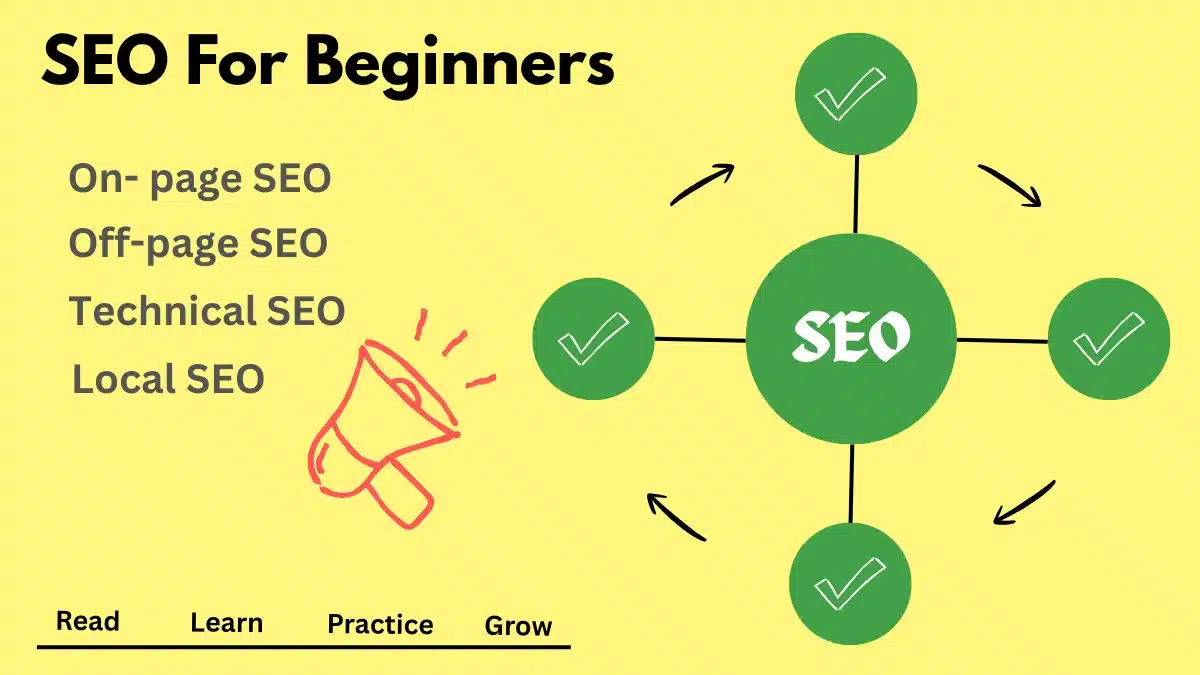
Table of Contents
ToggleIntroduction
Hello friends, so you’ve finally made it here. I know that SEO can seem like a very complex topic at first; that’s why I’ve tried to simplify the difficult terms. By this step by step seo guide for beginners—I hope you find this useful.
SEO is like a race where the search engine acts as a judge—evaluating whether a site is worthy of being displayed for a specific query or not. To excel in this race, we take certain steps that build the search engine’s trust in us, prompting it to show our site as a solution to people’s queries. So, let’s begin this SEO journey—one that turns complexity into simplicity.
What is SEO
Search engine optimisation is a technique where we focus on improving our website so that search engines can understand it and show it to people related to our services.
In beginner-level SEO simply means creating high-quality, relevant content, making your site user-friendly, and helping search engines understand what your site is about.
SEO serves as the main fundamental pillar on which your site’s future is based; it is unpaid and takes time to build. It brings out genuine and loyal customers or leads to you.
Check out related post :
What is SEO? Challenges, factors affecting ranking and more.
How Search Engines Work
Before diving deep into SEO, it is crucial to understand how the system we are striving to rank on actually works.
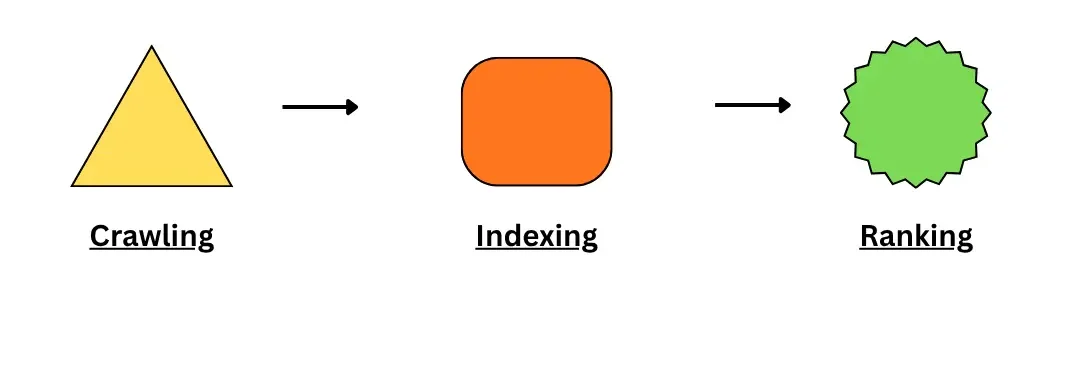
Google is a search engine that processes your site’s webpages in three main steps:
- Crawling (like a real spider scanning its surroundings)
Crawling refers to the process where the search engine discovers your webpage, scans it, and downloads the information.
- Indexing ( spider organising and storing food)
Indexing involves sorting the downloaded information from your webpage and saving it in its database for future use. - Ranking (spider deciding which food to eat first)
Ranking refers to determining which webpage should be displayed first in response to a user’s query.
Note : Take “spider as an example”.
In real world, crawling is done by Googlebot and the remaining steps are processed by separate systems.
Check out the detailed article on “How Search Engines work“
Keyword Research for Beginners
Keyword research means finding words that will lead people to our website. To do this, we need to analyze queries related to our website and find the right keywords from them and use them so that people can see our website in search results. This is called keyword research
Check out the detailed article on “Keyword Research”
What is the keyword?
A keyword is a combination of one or more words.
Digital marketers use them to target user queries. For instance “shoes under 3k” or “what is a search engine.”
What is search intent?
Search intent simply means the goal behind the user’s query. Understanding this helps us create content that answers those queries and drives organic traffic to our website. For example, some people search for information, some wants to buy a product or service, and some are looking for a specific website or brand
How can beginners find keywords?
Start by researching topics related to your website to understand what people are searching for. Initially, use free tools like Google Keyword planner to analyze search volume and keyword difficulty. Understand user intent, check sections like “People Also Ask,” and google suggestions and create content using less competitive keywords based on these insights.
How to choose the right keywords?
Selecting the right keywords can be challenging because of intense competition to rank in the search engine. So choose a “primary keyword” for each webpage and naturally incorporate related keyword phrases into the content.
On-Page SEO Basics
On-page SEO includes all the efforts done to optimize the page so that search engines can understand it. It makes sure that content is high quality and target focused keywords.
Check out the detailed article on “On-Page SEO” with a checklist.
What is Title Tag?
Title tag is a blue heading that appears to the user in search results whenever they search for something. It tells users what the page is about, and by clicking on it, they are redirected to the page.
What is Meta Description?
Meta description is a short text that appears below the blue heading or title tag in search results. It should be motivated and interesting so that more users click on it.
What is Heading?
Use headings in your content so that Googlebot and users can understand it directly by scanning the headings. Use H1 for the Main Title, H2 for main sections, H3 for sections comes under H2 and so on. This provides a clean structure to the content.
What is Image Alt text?
One of the important thing in on page SEO is to provide an Alt text to the images as it describes the image and help search engines to read it fast. Alt text (alternative text) is a short description for the images.
What is Internal links?
Internal links work as a navigator for users, telling them to take the next step. They also help Google understand how well-connected your content is.
Technical SEO Basics
Technical SEO is like a backbone for your website no matter how useful content you create. If your website’s backend is not smooth then nothing is going to work. It mainly focuses on the infrastructure of a website to increase user experience and search engine crawlability.
4 Core Pillars of Technical SEO
Crawlability and Indexing
Make sure googlebot does not face any problem due to the server while crawling. Also check for the non-indexed page because it will not appear in the search results.Site Speed
World has become faster. Therefore, people don’t wait for things to happen so a good website speed directly increases user experience.Mobile friendliness and security
Most people use search engines on the mobile so it should be optimized according to mobiles, as well as use HTTPs connection for the security.Sitemap and Robots.txt
Sitemap is the map of your site by which search engines find the way to your pages. Robits.txt file provides instructions to the crawler to crawl or not crawl the specific page.
Off Page SEO Basics
Off- page SEO is totally different from the on page seo as in this we take actions outside of the website. By creating high-quality backlinks to boost the trust and authenticity of your website.
- It acts as a vote for your website
- It provides positive signals to the search engine that we have expertise in the field and are worthy of search results.
- It increases the overall reputation of your website, which directly influences the search engine ranking.
Local Seo
Local SEO simply means you have a business and want to list it online so that people in your area can find and contact you. So, to optimize this location based searches, we use local seo
How to write Seo friendly Content

For content that works well with search engines, pick something that people’re currently interested in and looking for. Make it in a question and answer style so that search engines and artificial intelligence can suggest it easily.
- The content should be useful and simple for people to read and understand.
Give complete details related to the topic. Don’t add outdated and irrelevant content.
Provide a clean structure to the user by including bullets, short paragraphs, table of contents and a conclusion.
Mix your ideas, real experiences and facts in the content.
Include keyword phrases in the content and headings naturally. Don’t force them in.
Add links that help people navigate inside and outside the website.
Put images that match the topic and add text to help with search engine optimisation
Internal Linking Strategy
Internal linking is something that actually navigates your users to the right information. It tells the search engines how one page is connected to another. Also, it helps crawlers understand the content.
To implement internal links effectively, marketers usually use pillar and cluster pages.
A pillar page is the main page where you cover a broad main topic. In cluster pages, you create each post related to the subtopics of the pillar page. Pillar page contain links out to cluster pages, and cluster pages also have links back to the pillar page.
Take the pillar page as the main stem of a tree, and cluster pages are branches from that stem, connecting each other and creating a tree out of it.
It provides a clean look to your website, and also your users spend more time on your website because of the availability of all related topics there.
Common SEO Mistakes
Some common mistakes beginners make in SEO-
- Choose the wrong keyword
Initially focus on long-tail keywords. Don’t target high-competition keywords. Not writing according to search intent
Don’t mix the intent. First decide what you want from your user: to get information or to buy from you. Don’t write for both in a single post.
- Writing thin content
Avoid short content pages that don’t serve the purpose. Provide necessary details. Ignoring the basics
Not optimising the speed of the website and mobile-friendlinessNot using Internal links
Users will not get the right pages and get frustrated from the website
Free SEO Tools for Beginners
Best Free SEO Tools for Beginners-
In the beginning, little is good.
Don’t look for paid tools when free authentic tools are available.
Google Search Console to track your website’s overall performance and help in indexing your webpages.
Google Analytics for full analysis of the visitors
Google Ads Keyword Planner a good start for keyword research.
Google Trends to get the quick details of trending topics
FAQ
- How much time SEO takes?
SEO is a time taking process, not a one-night thing. To bring stability, SEO is something you can trust; it can take months, depending on the competition. Is SEO hard for beginners?
With regular practice and strong basics, nothing is hard.- Do I need backlinks first?
In the beginning, focus on the structure and content of the website.
Are internal links important?
Yes, they are one of the factors for SEO. Act as a navigator for users and crawlers.- How many keywords for a page?
Use only one main keyword per page.