On-Page SEO: A Practical Way to Optimise Web Pages of Your Website.
Summary ⤵️
On- page SEO covers all areas by which we can improve a page’s content and its elements so that it can be easily accessible to visitors and search engines. The more our page is optimised, the more clicks it will get. The process starts with understanding the audience and search intent. Doing keyword research to plan the content, writing useful information with a proper title, headings, short paragraphs, descriptive URLs, internal links, image optimisation, responsiveness, and finally analysing the page performance to improve the ranking. The best way to fill the gap is to analyse the competitor’s articles, see what is missing, and create it better and more organised than others.
This Article is part of our SEO for Beginners guide.
What is On-Page SEO?
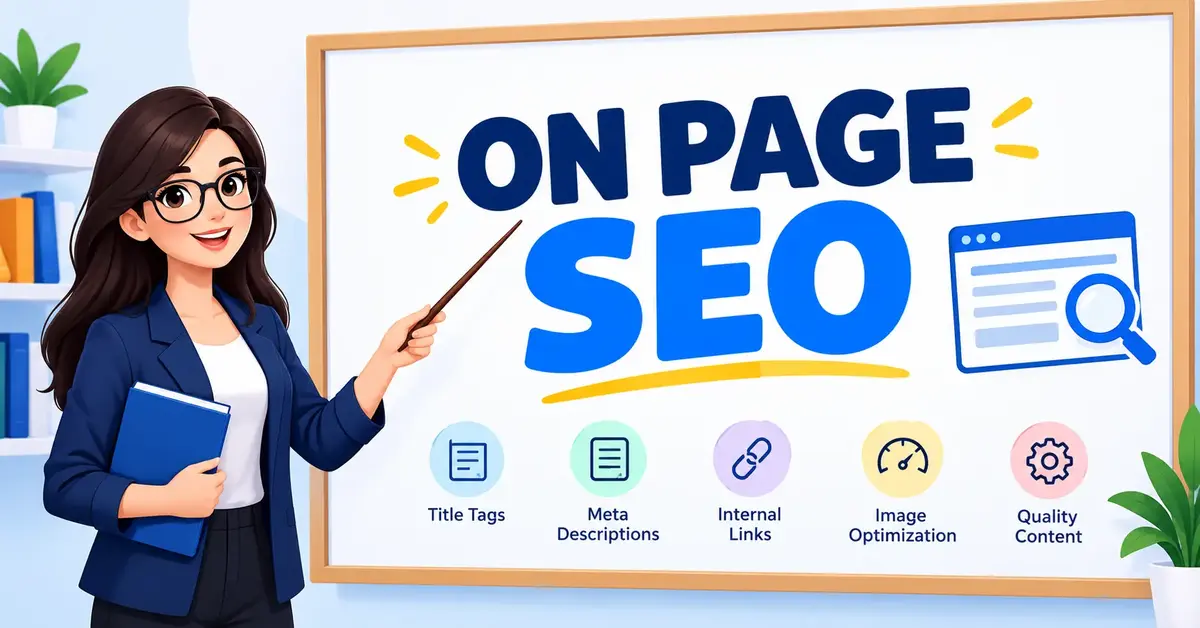
On- page SEO focuses on the overall optimisation of content and HTML elements present on the webpages of a website so that search engines and visitors experience a clear, useful view.
It is different from other types of SEO, as on-page SEO purely focuses on creating useful and attention-grabbing content that is easy to read, with a well-organised structure.
Why On-Page SEO Is Important
On-page SEO helps in creating a strong foundation.
Let’s see some points justifying on-page SEO:
- On- page SEO provides a better user experience
A Page containing a clear title, descriptive headings, short paragraphs, and useful links with properly displayed images is a well-structured page that not only covers the concept clearly but also improves readability and navigation across the website. This overall provides a seamless experience for crawlers and visitors.
- On-page SEO increases organic traffic and clicks.
With a SEO friendly Title, meta description and comprehensive content that answers all questions, your page can appear for related searches, which directly increases clicks. So always write full content rather than thin content with less understanding; cover everything a user needs.
- On-page SEO helps crawlers to find your new pages
By providing important and related internal links in the web pages, we help both crawlers and visitors to move through your website and explore new pages or topics. Don’t use vague anchor text while putting links; always make it clear what it is about.
Ex: Skip “CLICK HERE” or “Learn More”; use something that describes the topic, like “Learn how to use google search console” clear and meaningful.
Checklist for Implementing On-Page SEO?
Use the following checklist as a practical quality-control process.
Keyword and Intent Checklist ⤵️
- With an understanding of search intent, plan your topic for each page.
- Choose one primary keyword that accurately represents the page, with supporting keywords throughout the content.
- Use related terms and concepts in the content to make it comprehensive.
- Avoid adding unrelated topics on the same page.
Use Keywords that are relevant to your audience and business goal.
Content and Heading ⤵️
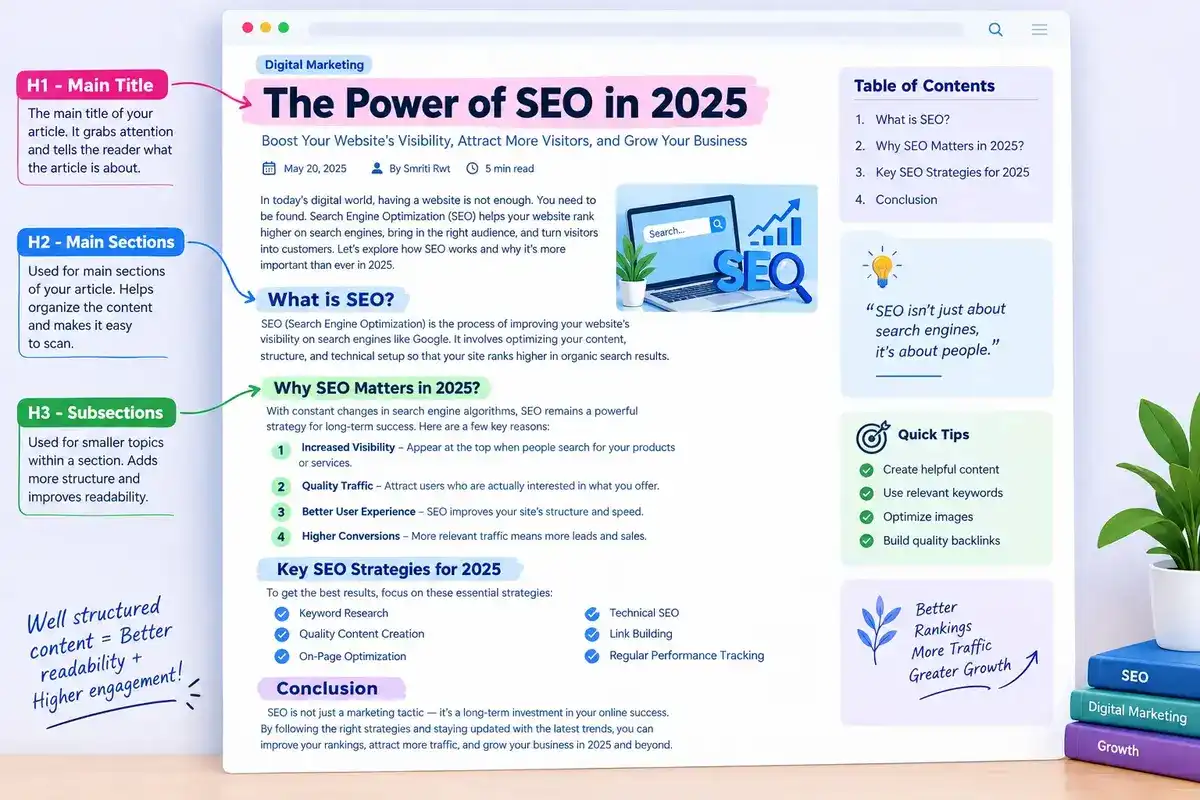
- Start with a clear H1 for the topic.
- Include sections with H2 headings with supporting keywords.
- Add H3 for sections under H2 if needed.
- Provide clean and easily readable content with full clarity on the concept.
- Don’t use difficult words; use terms related to the topic and also explain them if needed.
- Add important internal or external links.
- Before publishing the page, read and check for spelling and grammatical errors and make changes accordingly.
Timely update the page with new information.
A well-organised page helps search engines recommend your page to users.
Technical and Experience ⤵️
- Make sure all important pages are indexable.
- Check that your main pages are not blocked for crawlers.
- Use a secure connection (HTTPS) to gain user trust.
Make your website responsive so that it looks good on all devices.
Check website loading speed for a better user experience and improve it.
Check that your links are working fine.
Optimise the images for better loading.
SERP and HTML ⤵️
- Provide a clean and unique title tag for all pages.
- Write a relevant Meta description; use the primary Keyword naturally.
- Add images with proper Alt text so that crawlers can understand the purpose of the image.
- Add schema markup to define the content and display in rich results.
How to do On-Page SEO for a New Website?
For a new website, on-page SEO is an important part of the foundation.
Here is the way of providing relevant, unique and well-structured content:
Step 1: Define Your Audience and Plan Your Content ⭐
- Before writing the content, decide whom (audience type) you want to reach and what your website is solving that will create the demand.
- Create a list of content with topic categories based on the goal you want to fulfil for your business.
- Create pages that really serve the purpose.
Step 2: Do Keyword Research ⭐
- On the basis of language or area of service, perform keyword research to get accurate results.
- See what words your audience is typing into search engines to find services like yours.
- Create pages on questions and problem-related queries with guides and comparisons.
Choose keywords based on search intent and competition.
Research the topic; see what’s lacking on the competitor’s page, and present it with a creative approach so that the audience experiences a new way.
- Follow ➡️ One problem, One page approach.
Step 3: Create a Useful Page Brief ⭐
- Before writing, prepare the topic.
- Create the title of the page.
- Define the H2 and H3 structure.
- Write related questions that you will also cover side by side.
- Write Internal links to add.
Source of information or statistical data.
- Action you want from your visitors (CTA).
- This will keep your focus on the main things and cover everything without any repetition.
Step 4: Things you can do to optimise the content ⭐
- Write for the audience first
Make it scannable; provide defined headings and small paragraphs to read. Add bullets and lists where required.
Add a short URL slug for easy reading and sharing.
- Optimise Images for easy loading.
Step 5: Check crawling and Indexing ⭐
- After publishing, check the page layout and see if everything is in place or not.
- Go to Google search console, enter your page URL, and inspect it to check its status.
It should be indexed to get visible on Google.
Solve the problem if it is showing any error related to crawling.
Note: Crawlers can take time to crawl your page due to high demand, so don’t panic. Also, you can use the request indexing option in Google search console anytime to immediately get your page indexed.
Step 6: Check and Improve the Page ⭐
- Analyse the impressions, clicks, and queries your page appears for. Review your page’s average position in GSC to know where you lie in competition so that you can improve it.
Make changes to optimise the ranking; update pages when facts, prices, services, products, or user expectations change.
FAQ 🤓
1. How many H2 headings should a page use?
There are no such rules for H2 headings, as it depends on the topic’s requirements. But using H2 headings on a page is a must to define each section and to provide a clean and understandable structure to the page.
2. Main difference between on-page and off-page SEO?
On-page SEO improves page experience by working on the content of the website, while Off-page SEO focuses on outside activity of the website, like backlinks and PR.
3. Does structured data guarantee rich results?
No, but it can make your page content eligible for rich result features.
4. Does a meta description directly improve rankings?
A meta description should be clear and unique, as it is the first thing a searcher reads before clicking on the link, but it doesn’t improve ranking because it is not a part of ranking algorithm.